2017年3月27日星期一

Certificate Software - Make Professional Certificates


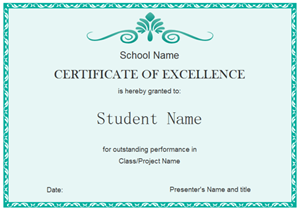
Student Excellence Certificate 300Editable, printable and sharable, this student excellence certificate template is provided to benefit more users.

With Edraw certificate software, you can easily create professional certificates for education, business, sports, or social activities. Well-designed ready-made certificate elements and templates help you get started instantly.

Easy Certificate Software


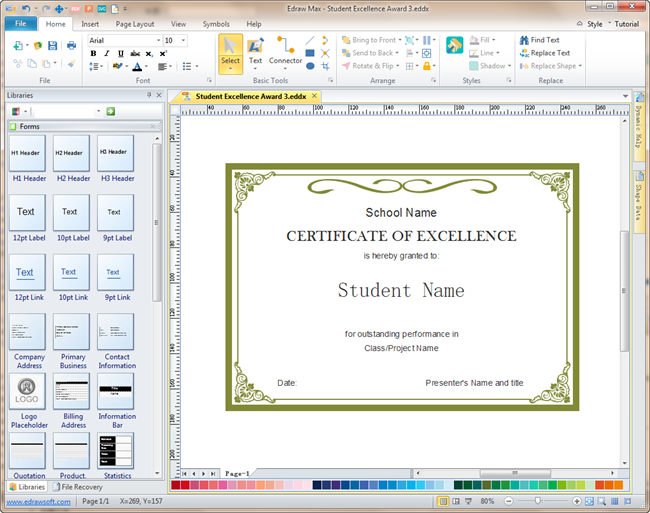
An excellent certificate software is provided to help users make good-looking certificates with personalized design, layout, and content. For design novices, Edraw prepares an easy way to help you get started - start from ready-made certificate templates. Simply open a template, add your text and images, change the colors and export it to Word, PNG, SVG, PS, EPS or PDF format. Otherwise, you can start from scratch using ready-made certificate elements in the predefined library. It's the perfect tool for creating certificates for schools, businesses, sports, and other social activities. Try it and experience how amazing it streamlines the design process.
Certificate Software
Download a free trial and see first-hand how quickly and easily you can create great-looking certificates.

System Requirements


Works on Windows 7, 8, 10, XP, Vista and Citrix
Works on 32 and 64 bit Windows
Works on Mac OS X 10.2 or later

Pre-made Certificate Elements:


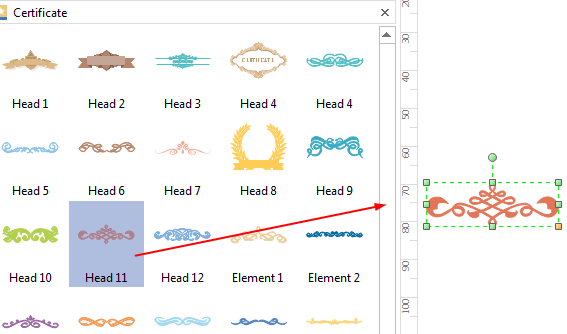
Users can choose predefined elements from the certificate symbol library to design their own personalized certificate. There are various certificate elements for the head, border, corner, and frame design. Simply drag and drop to use the elements.
Certificate Design Elements

Features Making Edraw the Best Certificate Software:


  • Easy to learn and easy to use. Just drag the ready-made certificate elements from the library pane and drop them on your page.
  • Rich pre-made templates allow you to modify from existing structures, quick and effective.
  • A set of smart tools are provided for automatic formatting. You can easily arrange, rotate, group and align objects with these smart tools.
  • A set of nice looking themes with advanced effects make it easy to change the whole diagram by changing the active theme with just a few clicks.
  • Enhanced export features include BMP, JPEG, EMF, WMF, PDF, SVG, HTML, Word, PowerPoint and much more format.
  • It's easy to add photos, images and edit text fields.
  • All Edraw documents are vector graphic files with high clarity and available for reviewing and modifying.
  • The attached floating dialogues and dynamic help pane give you more detailed instruction to make sure you have a smooth drawing process with no hassle.


  • First start Edraw. From Available Templates, choose Presentation. Click Certificate icon, and you will find pre-made certificate templates in the example window. Select a template and double click to open, then you can customize it through changing the text, color and style. Or you can double click the Certificate icon to start a blank page, and use the pre-made symbols on the left of the canvas to design your certificate.

    Certificate Templates


    Edraw certificate software includes some examples and templates to help you get started directly. You can open these examples and modify them to meet your requirement.

    Student Excellence Certificate

    Student Excellence Certificate 300
    Editable, printable and sharable, this student excellence certificate template is provided to benefit more users.

    Student Excellence Award Template
    Student Excellence Award 300
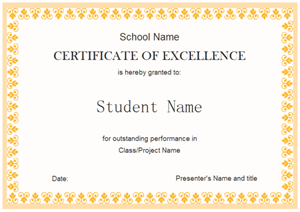
    Download this editable student excellence award template and redesign it to fit your own needs.

    Student Certificate Template
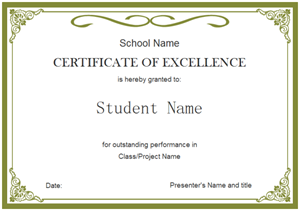
    Student Certificate 300
    A good-looking student certificate template is readily available in vector format for your own use.

    Gift Certificate Template
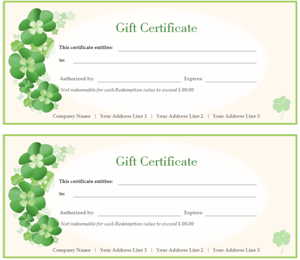
    Gift Certificate 300
    Consider this template when you make your own gift certificate. It lets you quickly finish your design work and enhance your work efficiency.

    Simple Gift Certificate Template
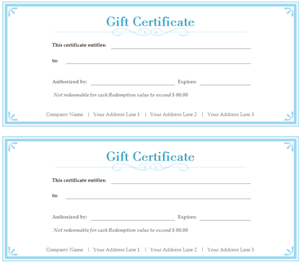
    Simple Gift Certificate 300
    Click the picture to have a full view of the template and download it for your own use.

    Gift Voucher Template
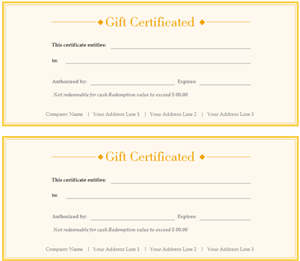
    Gift Voucher 300
    For people who don't want to start from scratch and save time, this customizable gift voucher template is a nice choice.

    2016年12月14日星期三

    Create premier presentation in a breeze to better share your discovery

    Experience fantastic presentation creation in Edraw. You will feel it like a breeze. With rich templates and enhanced features, you can have amazing slides in minutes, which look like hours have been spent in. Learn how to prepare such a presentation here.
    Your presentation is the miniature of hours and even months of work. No matter how hard you have worked, a bad presentation will still lead to failure. Edraw helps you gain better slides with marvelous infographics. Follow the instructions below. Get this amazing presentation designer right now. Take a look at some examples in Infographics about China (Org Chart, Timeline, Map).

    Open an Presentation Template

    Open Presentation Template

    Start Edraw. On File menu, double click the icon of the template you like. 
    The Background and Basic Drawing Shapes libraries open along with the example.
    If you want to open a blank page, click General icon.


    Enter Contents

    Enter Contents

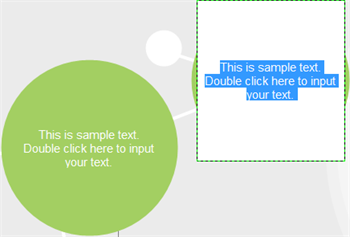
    All examples include text boxes. Double click the text box and replace the sample text with your own contents. If you need more text boxes, do the following: 
    * Click Text on Home menu.
    * Choose Text Tool from the drop down menu.
    * Drag the mouse to draw a text box on the area you want to place it.
    * Release the mouse and start typing.

    Move, Resize, Rotate Text Box

    Change Text Box

    If the text box is attached with shape, changing the shape also changes the text box. If you need to alter the text box separately, follow these steps: 
    * Click Text on Home menu.
    * Choose Text Block Tool.
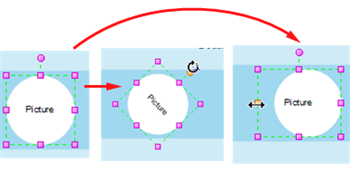
    * Move text box when a four-arrow cross appears.
    * Drag the square purple control points to resize text box.
    * Drag the round purple handle to rotate text box.

    Add, Delete and Rename a Page

    Set Presentation Page

    Some templates have only one page, some include several pages.
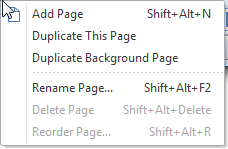
    To add, delete or rename a page, right click the page label on the bottom left corner.
    You can also use keyboard shortcut. 
    From this menu, you can also duplicate the entire page, or duplicate the background only.

    Insert Picture, Audio or Video

    Enrich Presentation

    To enrich your presentation, Edraw offers limitless possibilities. 
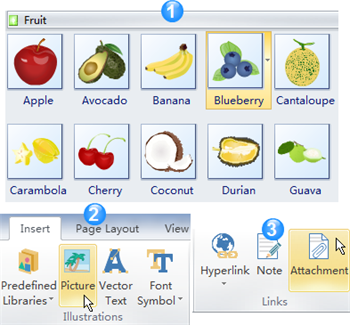
    * The first choice is illustration. Click Libraries button on the top left corner of library panel. Choose Illustration category. Select the clip art you need. Drag a clip art to your slide.
    * The second solution is inserting picture from your own file. Go to Insert tab. Hit Picture in the Illustration group. Locate and open the picture you need. Hit OK
    * The third option is to insert attachment. In the Links group of Insert menu, click Attachment. Open the target file (document, audio or video).
    * Similarly, you can also insert hyperlinks, vector text and other objects.

    Change Background

    Change Background

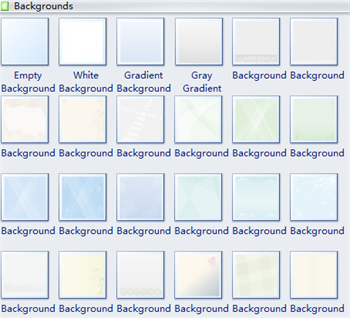
    It is extremely easy to change background in Edraw presentation. You can chose from 48 kinds of backgrounds in total. Click Backgrounds on the library menu.
    Drag one Background you like directly to the current active page. It applies to one active page each time.
    Drag Empty Background onto your slide if you don't need any background.


    Design Shapes to Create Unique Presentation

    Drawing Tools

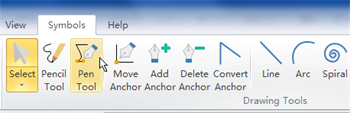
    If the predefined shapes do not contain what you want, you can draw it yourself. 
    Go to Symbols tab. In the Drawing Tools group, use Pen Toolor Pencil Tool to draw any shape you need. Learn How to Use the Drawing Tools


    Create Presentation from Examples

    Here are all available blank presentation templates created by Edraw.
    Check out some ready-to-use presentation examples that are visually striking.